IT & Security
Entwicklung
IT Accounting
Cloud
Marketing
Kontakt
Fernwartung
Ihre IP:
Menü schliessen
IT & Security
Das LEXO Know-How
Die LEXO Magie
Sicherheit durch Erfahrung
Effizienz steigern & Geld sparen
Wartung ist besser als Support
Sie haben Priorität - Ihre Zeit wertschätzen
Maximaler Datenschutz auf Ihrem Smartphone - GrapheneOS
Linux – Frei von Überwachung durch Google, Microsoft und Apple
Linux Mint: Die smarte Windows- und macOS Alternative für moderne PC-Nutzer
Entwicklung
Ihre Webseite — Ihre digitale Präsenz
Welche Vorteile bringt eine gute Wordpress Webseite?
Wordpress Content Management System (CMS)
LEXO Managed Webhosting
IT Accounting
IT Accounting — Digitale Buchhaltung
LEXO Workflow Management
Digitale Prozessoptimierung
Cloud
Was genau bedeutet Cloud?
Marketing
LEXO Design
Wie funktioniert SEO - Suchmaschinenoptimierung?
Warum in SEO investieren?
SEM und SEA — Was ist der Unterschied?
Wie funktioniert CRO - Conversion Rate Optimierung?
Online-Shop mit SEO & SEM bewerben
Kontakt
Über uns
Referenzen
Blog
Facebook
Instagram
Twitter
AGB
|
Datenschutz
|
Impressum
Categories
Accounting
Cyber Security
Hardware and Gadgets
IT Development
Everything about software development
Common Web Development
CSS
Databases
MySQL
Docker
Dompdf
JavaScript Development
Joomla
Laravel
Eloquent
Laravel Package
Peppershop
Php
Social Media
Typo3
Wordpress
Advanced Custom Fields
IT Knowledge
Artificial intelligence (AI)
IT News
IT Support
Microsoft Office
Mobile devices
Android phones and tablets
iPhone - iPad and iOS
Nokia (Symbian) phones
Operating Systems
Apple OS X
Linux
VMWare ESXi 5.x
Windows 10
Windows 11
Windows 7
Windows 8 | 8.1
Windows Server 2003
Windows Server 2008 (R2)
Windows XP
Windwos Server
Router and Firewalls
Juniper
Zyxel
Web Browsers
Software & Services
Google Services
Jitsi
Mattermost
Microsoft Exchange
Microsoft Office 365
Microsoft Outlook
Miscellaneous Desktop
Miscellaneous Online Services
Nextcloud / OwnCloud
PhpStorm
Redmine
Virtualmin
VoIP
VS Code
Money money money...
Could we help you? Please click the banners. We are young and desperately need the money
Donate with
Donate
BAT
now
Verified BAT publisher
Created:
January 23rd 2026
Last updated:
January 23rd 2026
Categories:
IT Support
,
Software & Services
Author:
Andreas Fässler
[Gelöst] Adobe Add-In Fehler in Office beheben.
Tags:
Add-In
,
Adobe
,
Office
,
Word
Donate with
Donate
BAT
now
Verified BAT publisher
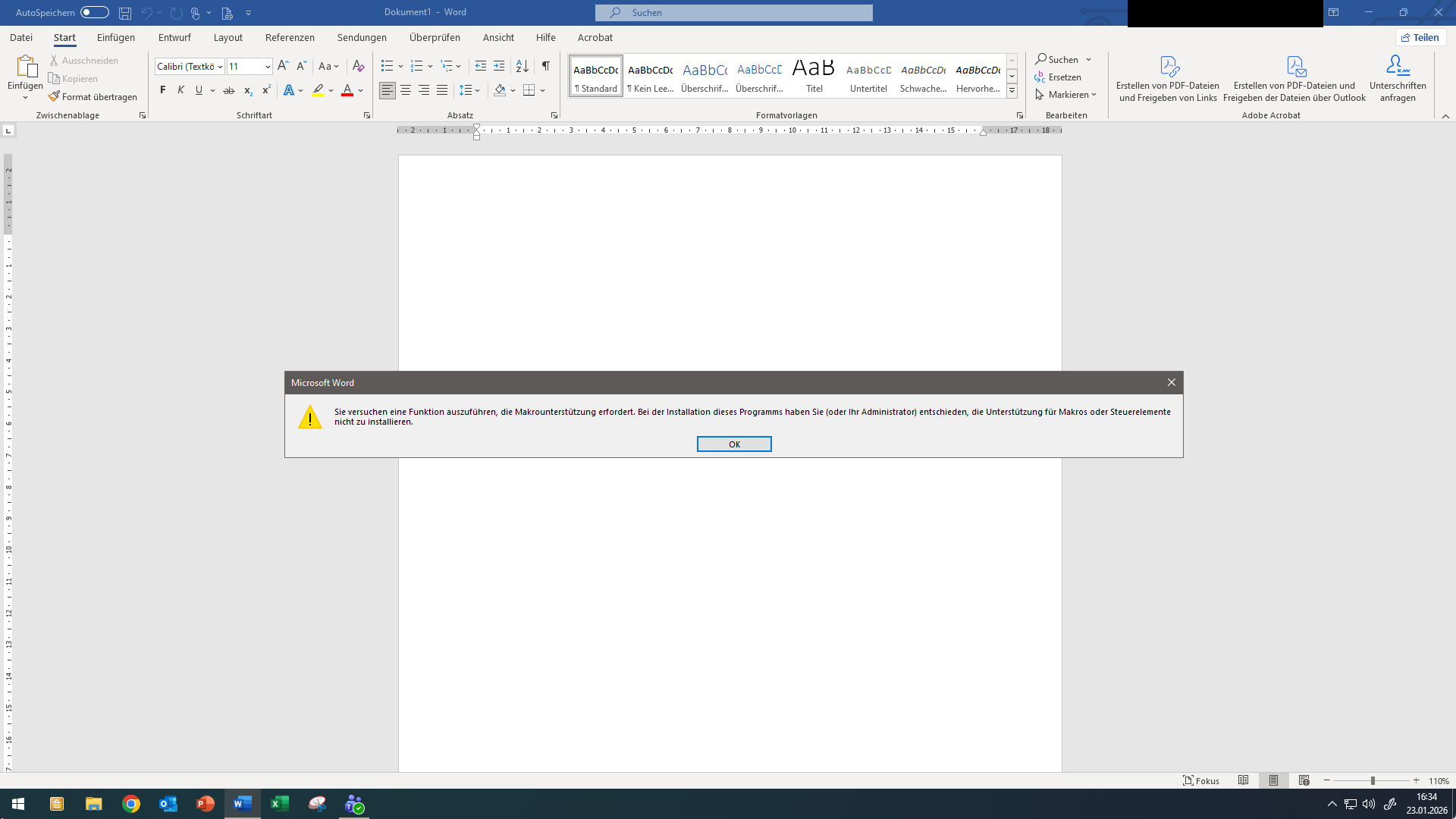
Fehlermeldung:
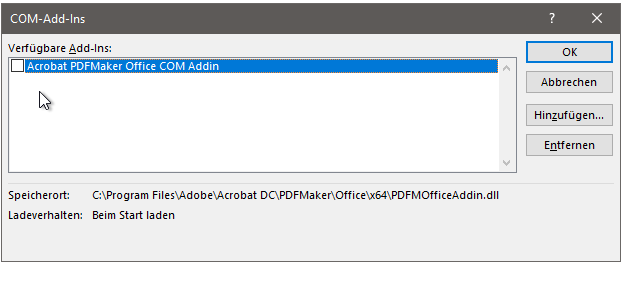
Anleitung für die Fehlerbehebung.
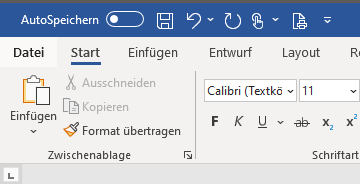
Öffnen Sie Word.
Klicken Sie oben rechts auf "
Datei
".
Klicken Sie unten links auf "
Optionen
"
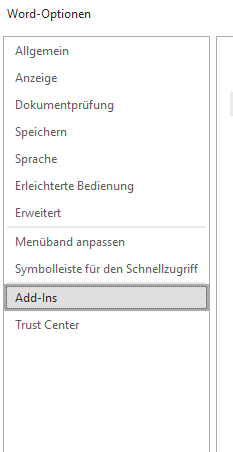
Klicken Sie auf "
Add-Ins
".
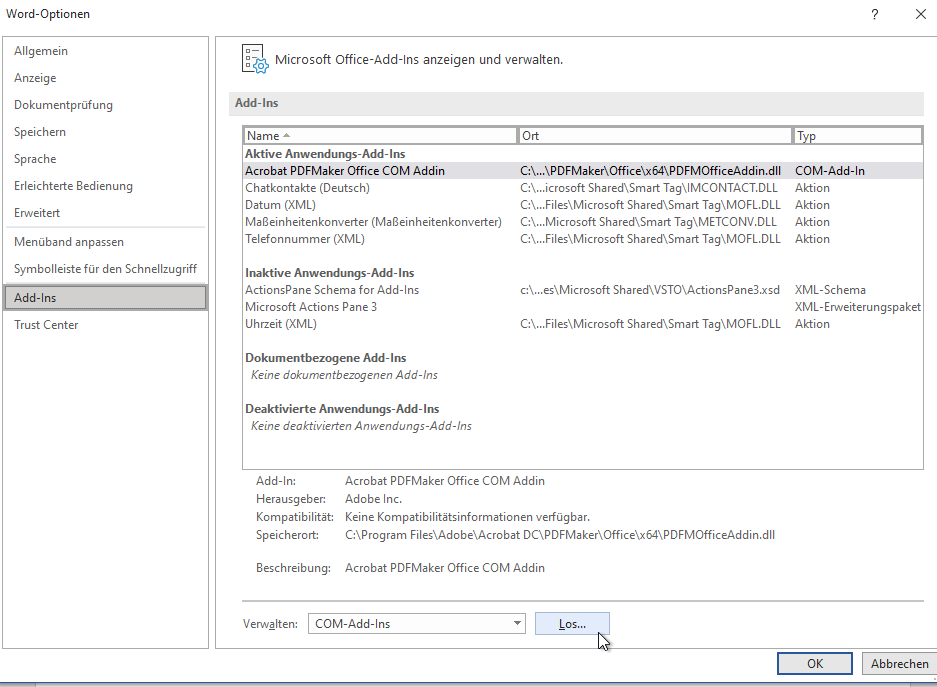
Klicken Sie unten auf "
Los...
".
Entfernen
Sie den Hacken von "
Acrobat PDFMaker Office COM Addin
". Klicken Sie danach auf "
OK
"
Testen Sie, ob die Fehlermeldung immer noch auftritt.
Related Articles
July 31st 2025
Kurzanleitung: Wie man Microsoft Office installiert.
September 30th 2024
Microsoft Office: Wesentliche Tastenkürzel zur Steigerung Ihrer Produktivität
March 10th 2012
Adobe Photoshop CS3, CS4, CS5, CS6 crashes unexpectedly when opening files or create a new document
January 3rd 2012
Windows 7 can not obtain a new IP address from the DHCP server and DNS names cannot be resolved anymore when Adobe CS3 is installed
UP
This website was created and developed by LEXO - for more information see
LEXO web development