
LEXO Email Settings - Setting up LEXO Email Services in Various Email Programs
Deutsche Übersetzung
Dieser Artikel kann hier auf Deutsch aufgerufen werden. ZUR DEUTSCHEN VERSION WECHSELN
LEXO Mail Services Configuration
This knowledge base article deals with setting up LEXO email services in various email programs.
Table of Contents
- General information and settings:
- Microsoft Outlook 2024 | Reconfiguration
- Microsoft Outlook 2019 | Reconfiguration
- Microsoft Outlook 2016 | Reconfiguration
- Microsoft Outlook 2016 | Adding Email Account
- Microsoft Outlook 2013
- Microsoft Outlook 2007 + 2010
- Apple iPhone (iOS 26) | New Setup
- Apple Mail (OSX 10.6/10.7)
- Support
General information and settings:
POP3 Server (Port)
mail.lexo.ch (995, SSL)
IMAP Server (Port)
mail.lexo.ch (993, SSL)
SMTP Server (Port)
mail.lexo.ch (587, TLS)
- OR -
mail.lexo.ch (465, SSL)
Username
youremail@yourdomain.com
Important Information
Our server rapidly blocks erroneous login attempts for security reasons. A block can last from a few minutes to several hours. When setting up your email account, please pay very close attention to entering all access data correctly from the beginning and activate SMTP authentication (if the configuration cannot be done automatically or fails).
Email Program Configurations
Microsoft Outlook 2024 | Reconfiguration
1. Enter your email address in this field: Select “Set up manually.” 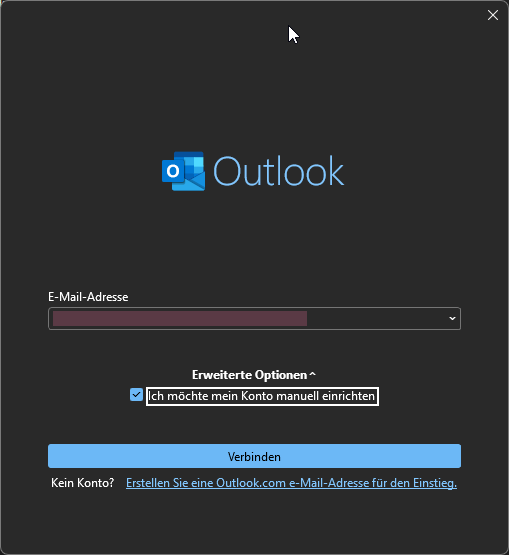
2.Select your email service. 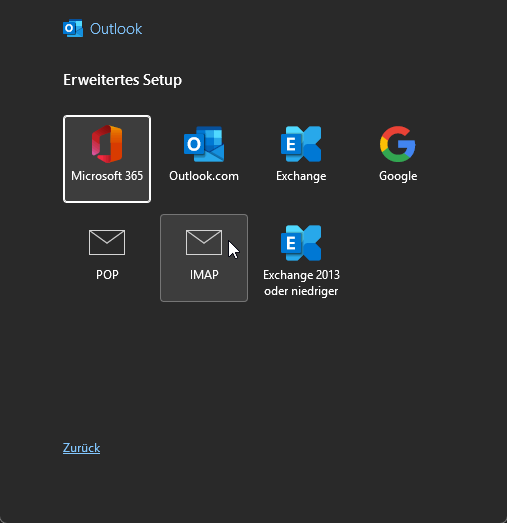
3.Enter the General information and settings. 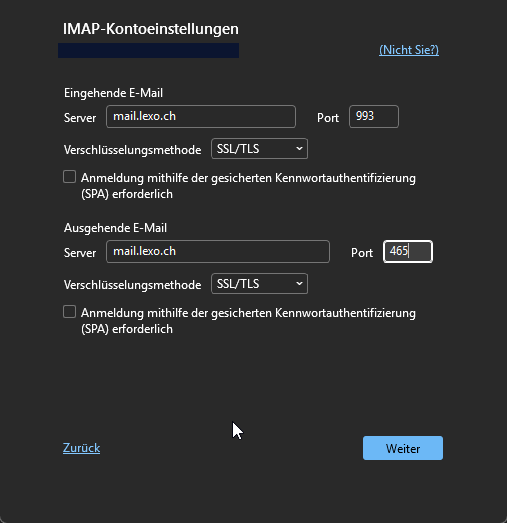
4.Click “Next.” You have now added the email.
Microsoft Outlook 2019 | Reconfiguration
1. Start of the wizard (Create profile)
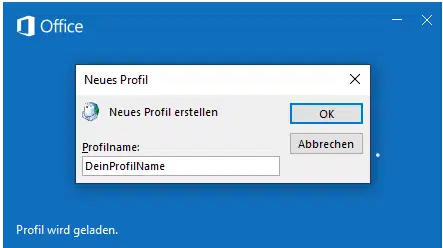
2. Add new email account
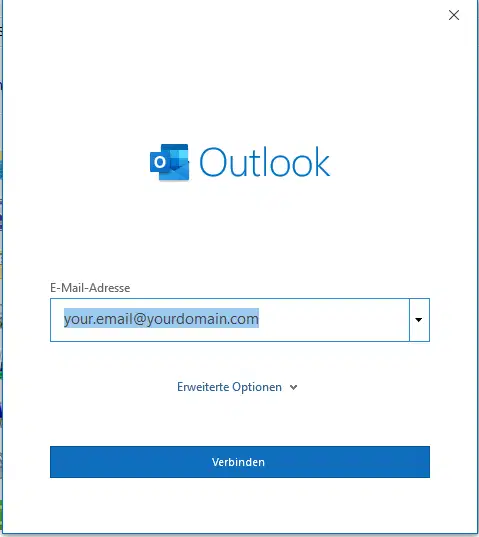
3. Proceed with "Operation completed"
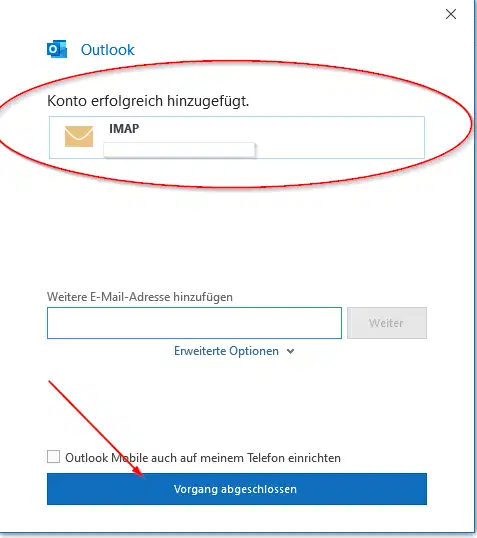
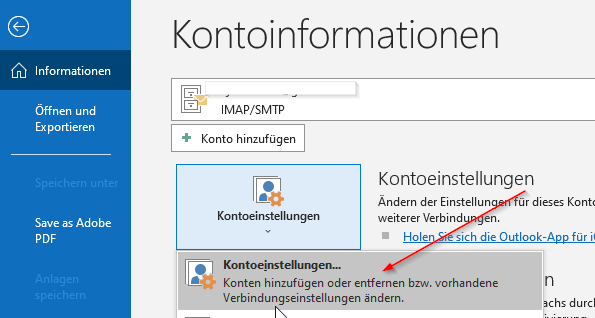
4. Click on the File menu

5. Now click on "Account settings"
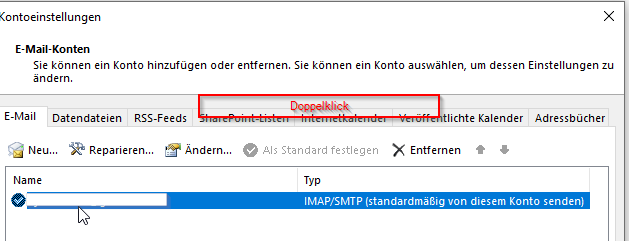
6. Double-click on your Mail
Microsoft Outlook 2016 | Reconfiguration
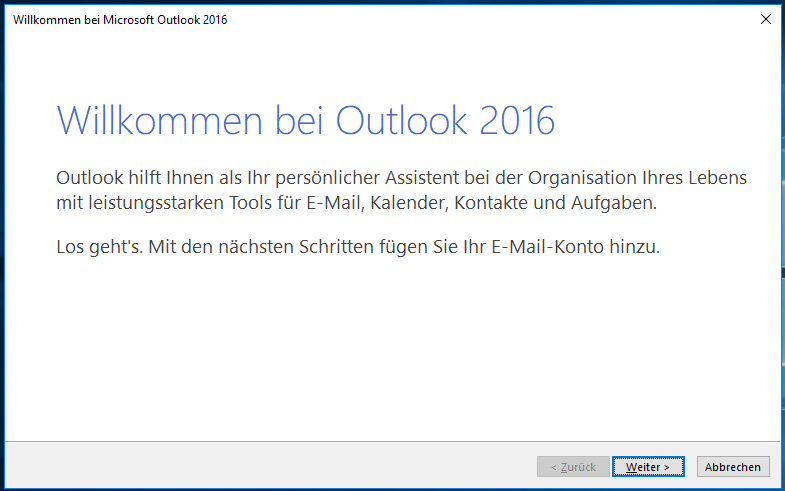
1. Start of the wizard
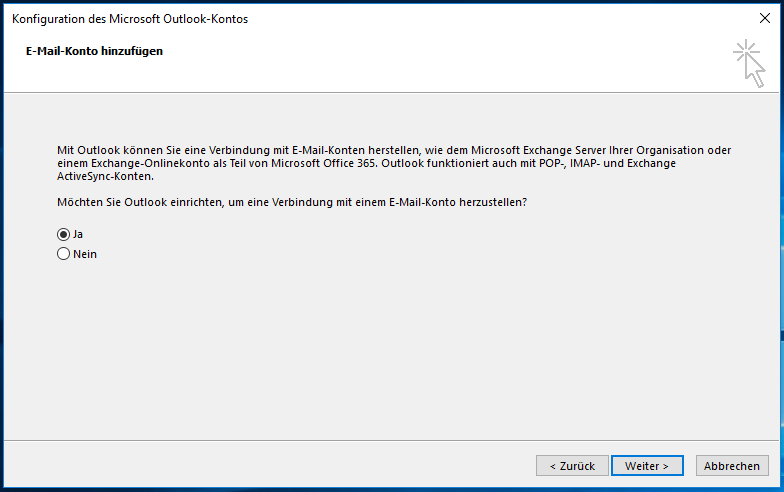
2. Add new email account
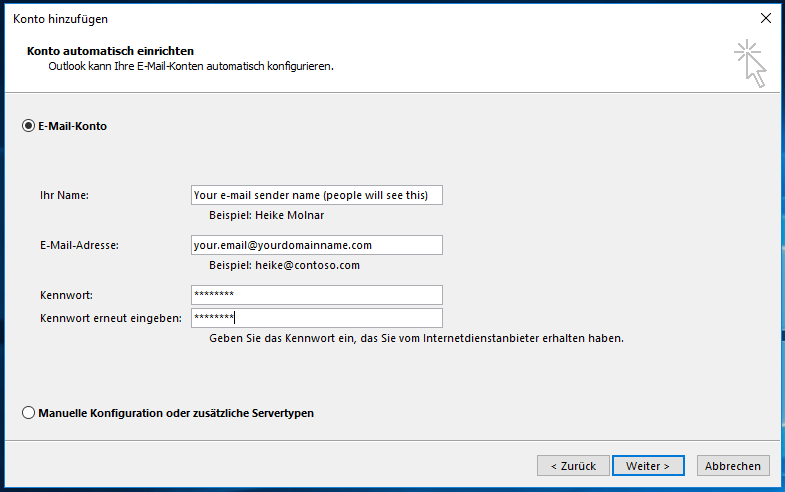
3. Configure email account: Enter sender identification, email address, and password
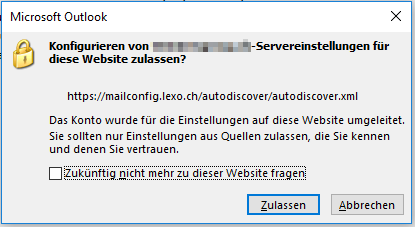
4. Confirm security message. Here Outlook asks if it may retrieve the settings from the LEXO server
5. Account successfully set up
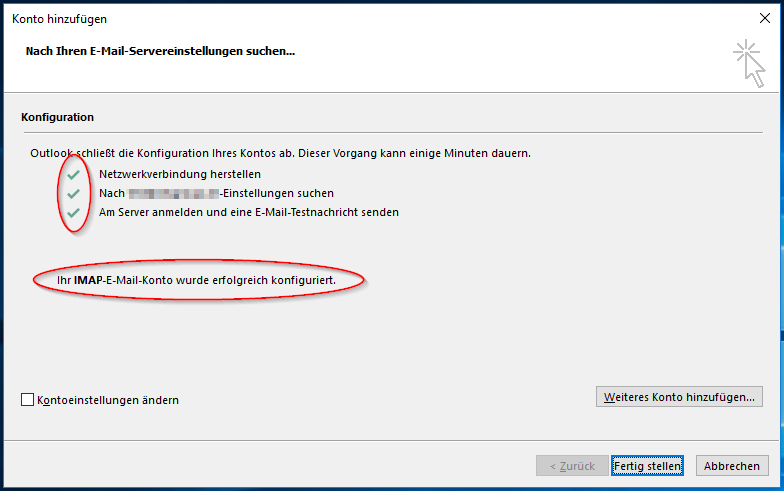
Microsoft Outlook 2016 | Add Email Account
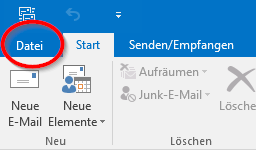
1. Click on the File menu
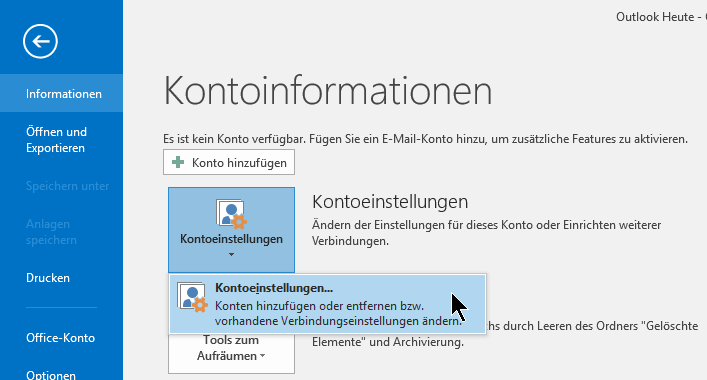
2. Account settings → Account settings
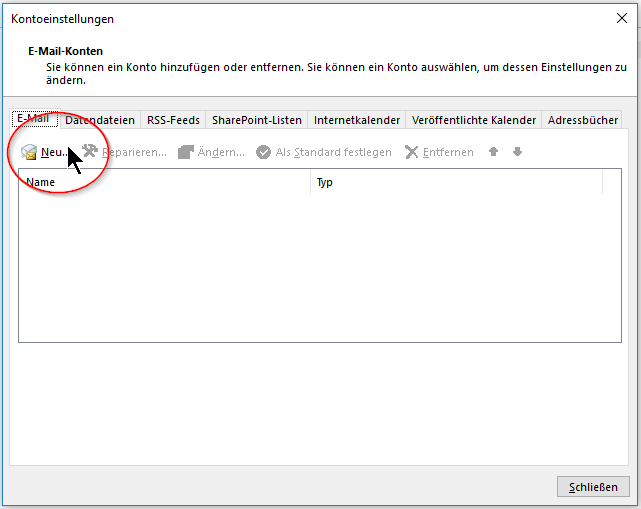
3. Add new account
4. Configure email account: Enter sender identification, email address, and password
5. Confirm security message. Here, Outlook asks if it can retrieve the settings from the LEXO server
6. Account successfully set up
Microsoft Outlook 2013
1. Create new profile
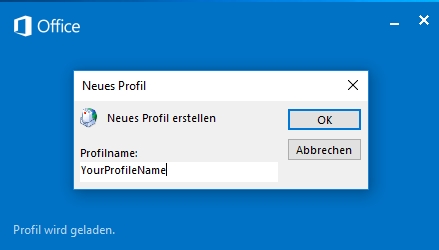
2. Set basic email settings
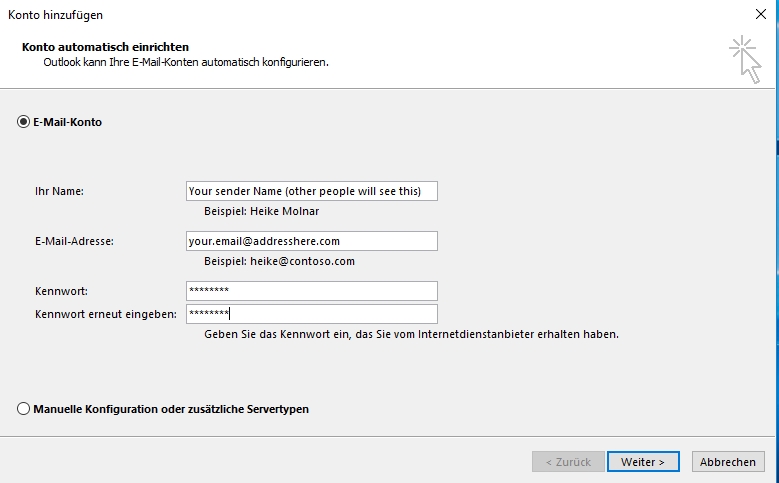
3. Confirm security message. Here, Outlook asks if it can retrieve the settings from the LEXO server
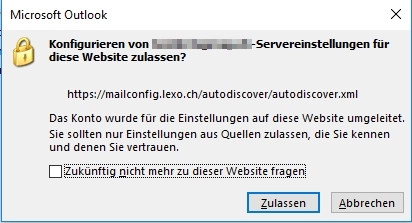
3. Finish setup
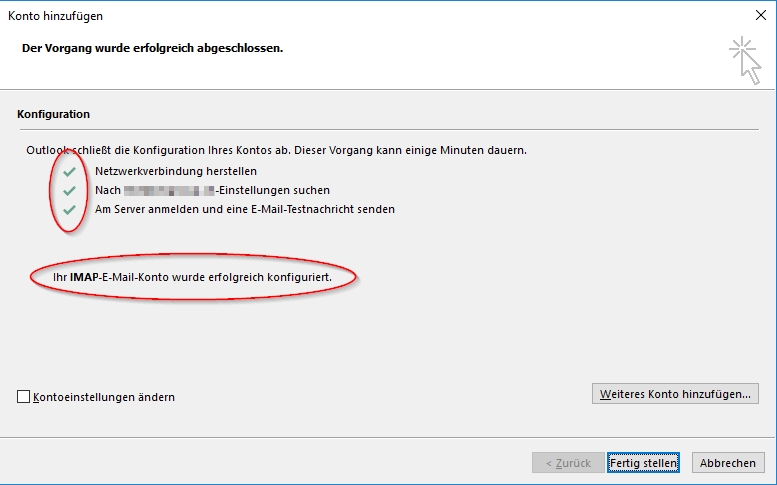
Microsoft Outlook 2007 + 2010
1. [Outlook 2007] Tools → Account Settings
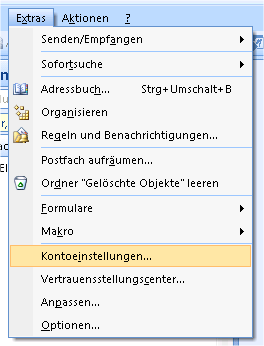
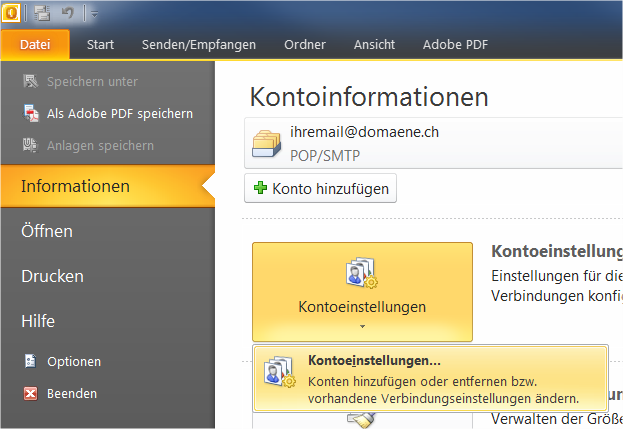
1. [Outlook 2010] File → Information → Account Settings → Account Settings
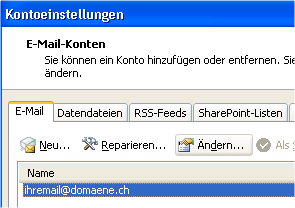
2. Click on the account that is to be changed → Change
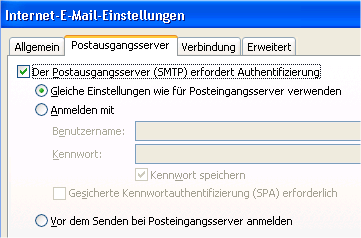
3. Adjust settings according to the following screenshot (adapt yourname@domain.ch accordingly)
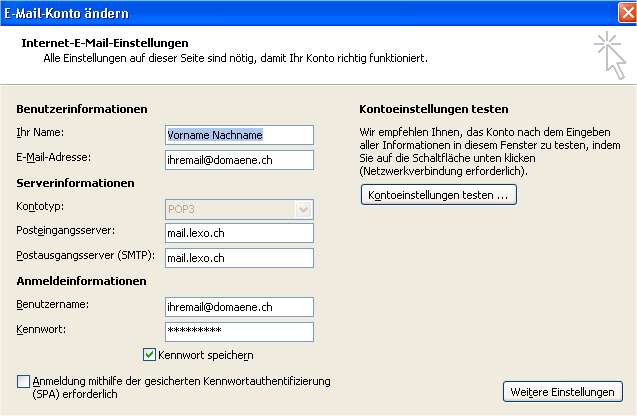
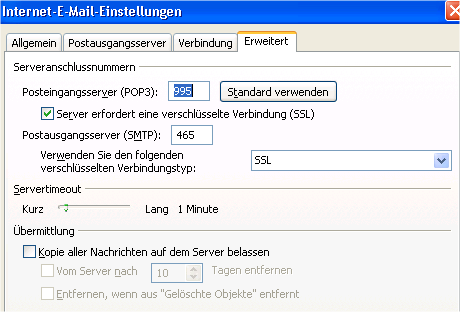
4. Click on → More Settings and adjust the settings in the following tabs as follows:
Attention!
- Port settings (995, 465) and SSL settings should be observed!
- If you use IMAP services the port must be set to 993 and SSL must also be activated.
Apple iPhone (iOS 26) | New Setup
The following guide explains how to manually set up a LEXO email account on a current Apple iPhone. We recommend IMAP so that messages and folders remain synchronized across all your devices.
Note: The illustrations were created with the OpenAI API as current iOS previews. Labels and their placement may vary slightly depending on your iOS version.
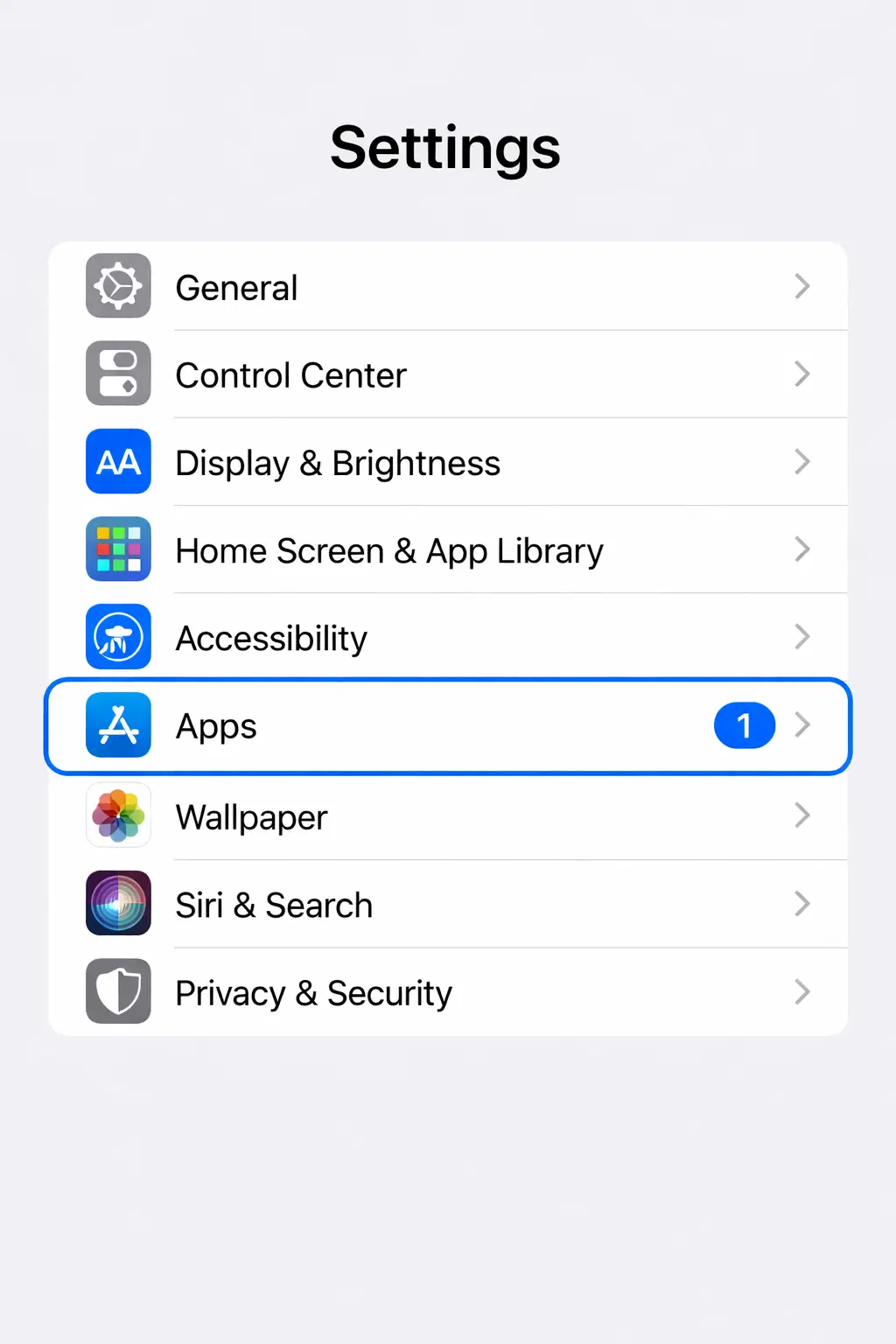
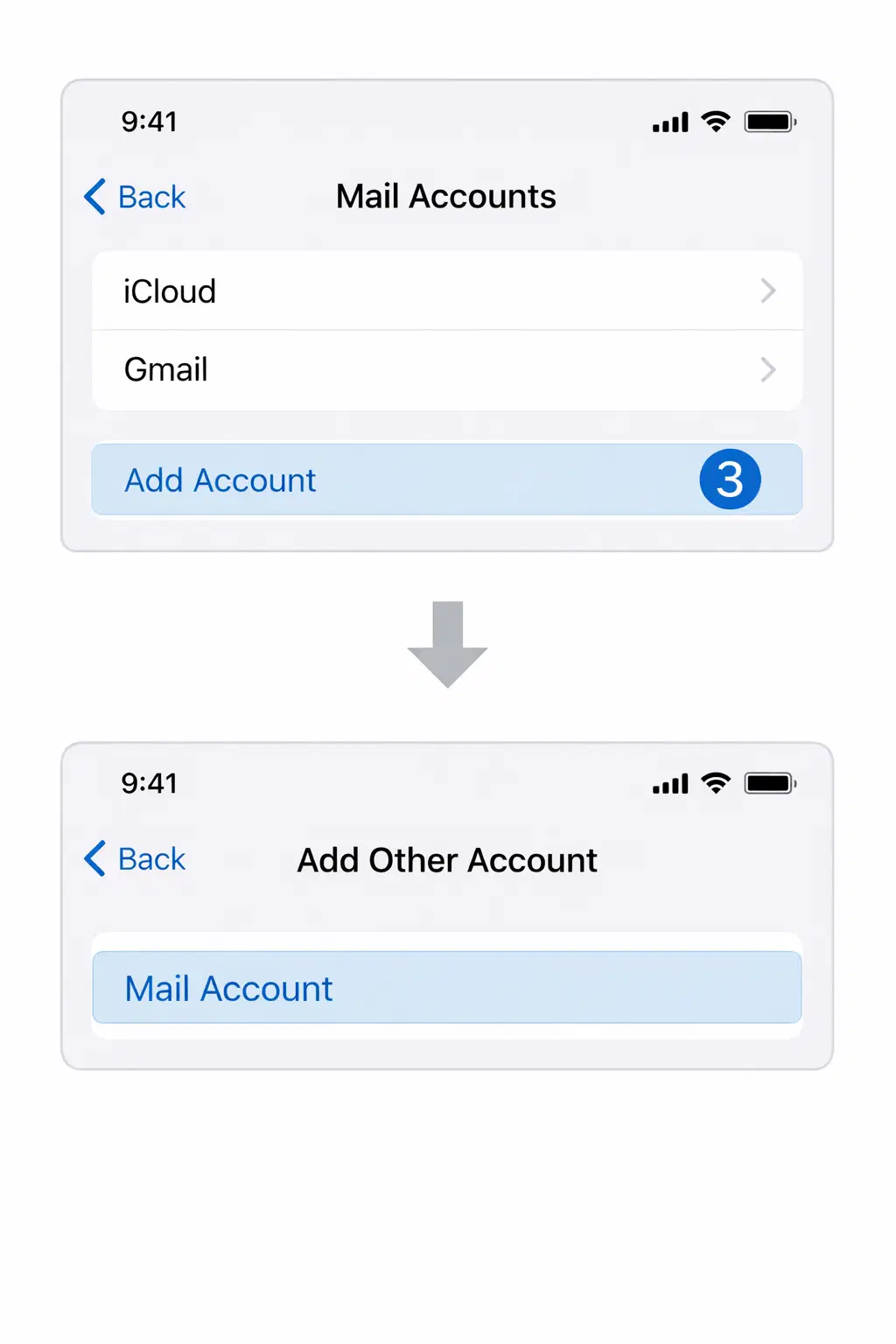
1. Open Settings → Apps.
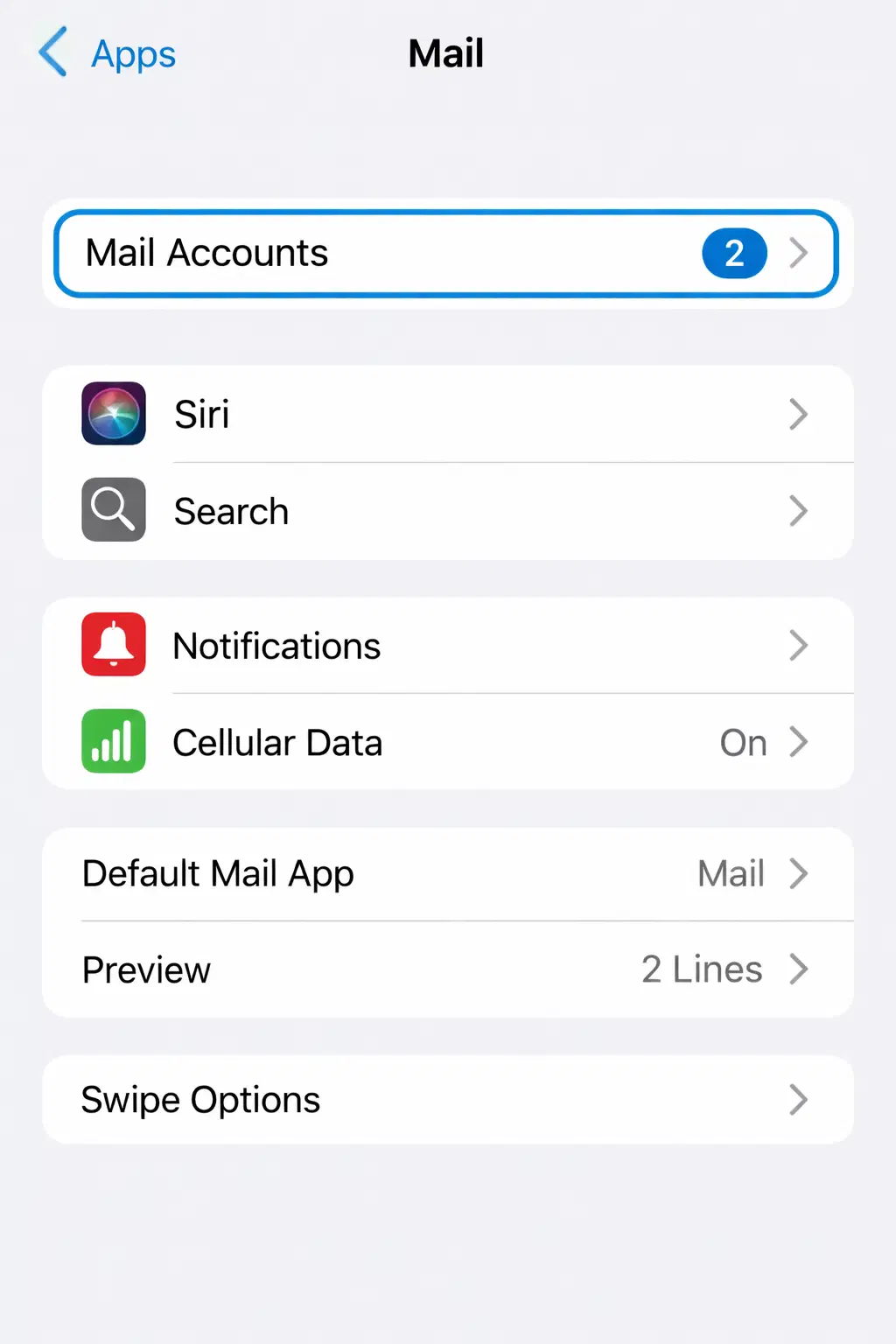
2. Select Mail → Mail Accounts.
3. Tap Add Account → Add Other Account → Mail Account.
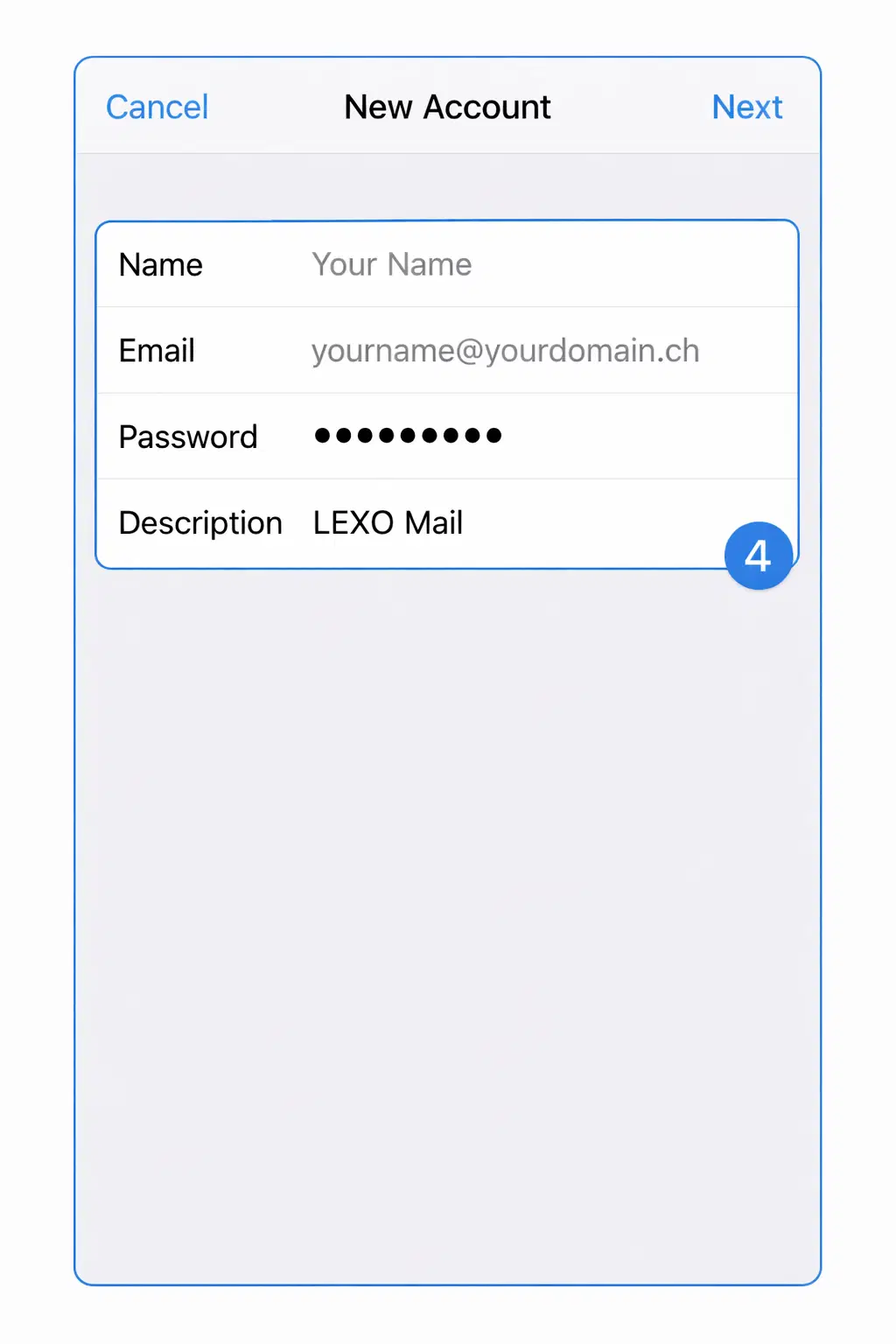
4. Enter your name, full email address, email password, and a clear description such as “LEXO Mail”. Tap Next.
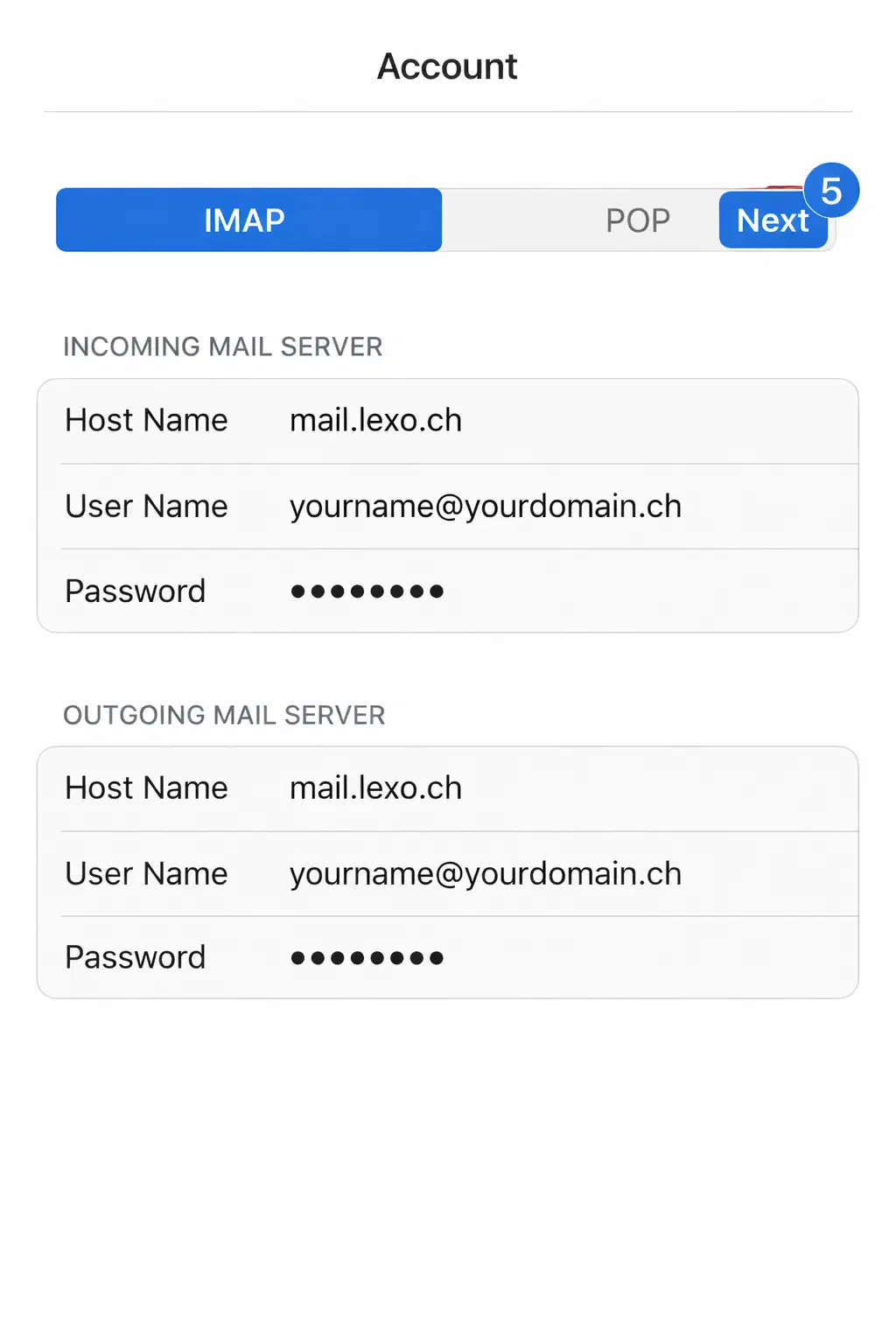
5. Select IMAP and enter the server details.
- Incoming Mail Server: Host Name mail.lexo.ch, User Name = your full email address, Password = your email password.
- Outgoing Mail Server: Host Name mail.lexo.ch. Enter the full User Name and Password here as well.
Important: iOS may label the outgoing User Name and Password as optional. Both values are required for LEXO mail services because the SMTP server requires authentication.
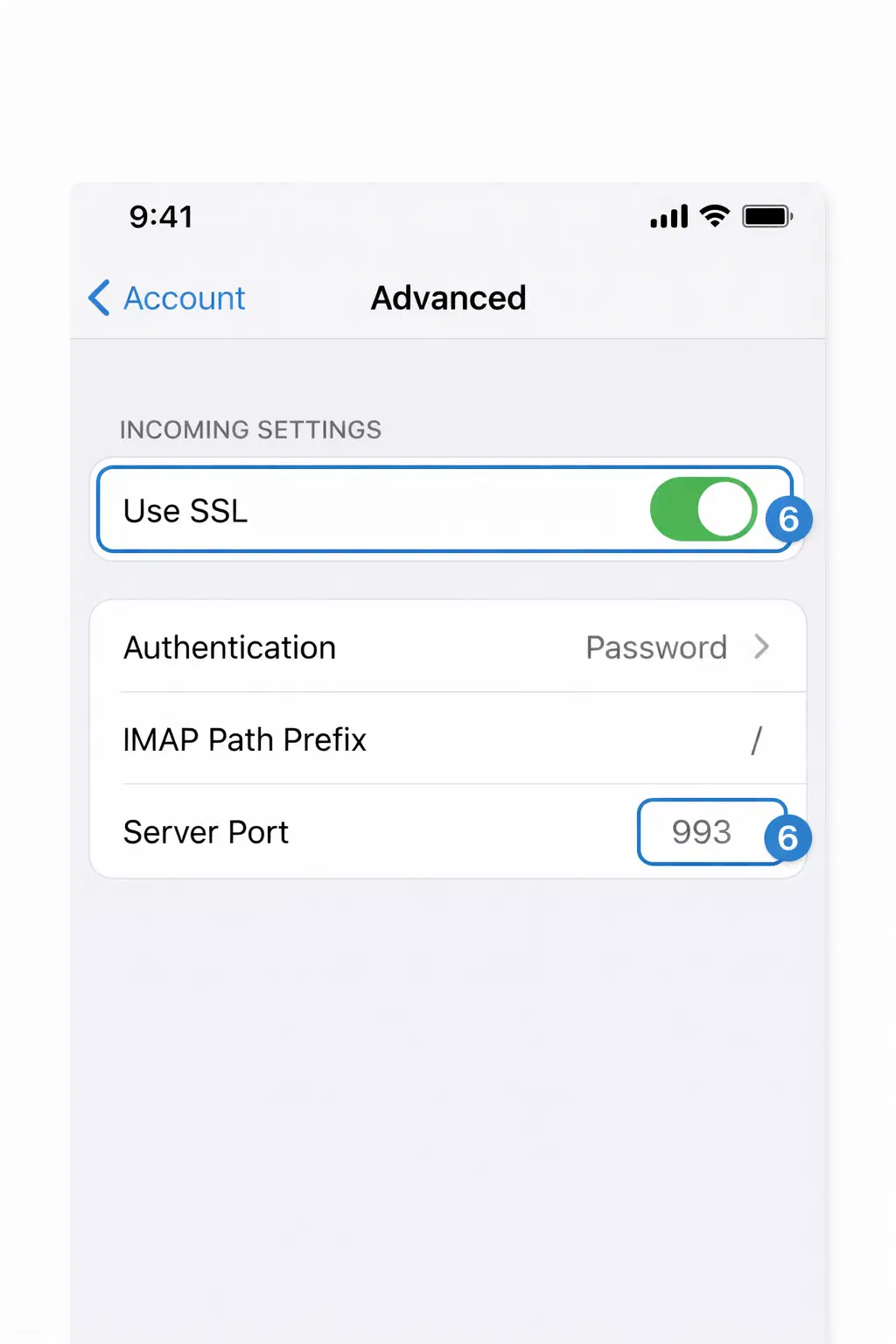
6. Tap Next, wait for verification, and then tap Save. Check the IMAP settings afterward.
Path: Settings → Apps → Mail → Mail Accounts → LEXO Mail → Account → Advanced. Use SSL must be enabled and Server Port 993 must be entered.
7. Check the outgoing mail server.
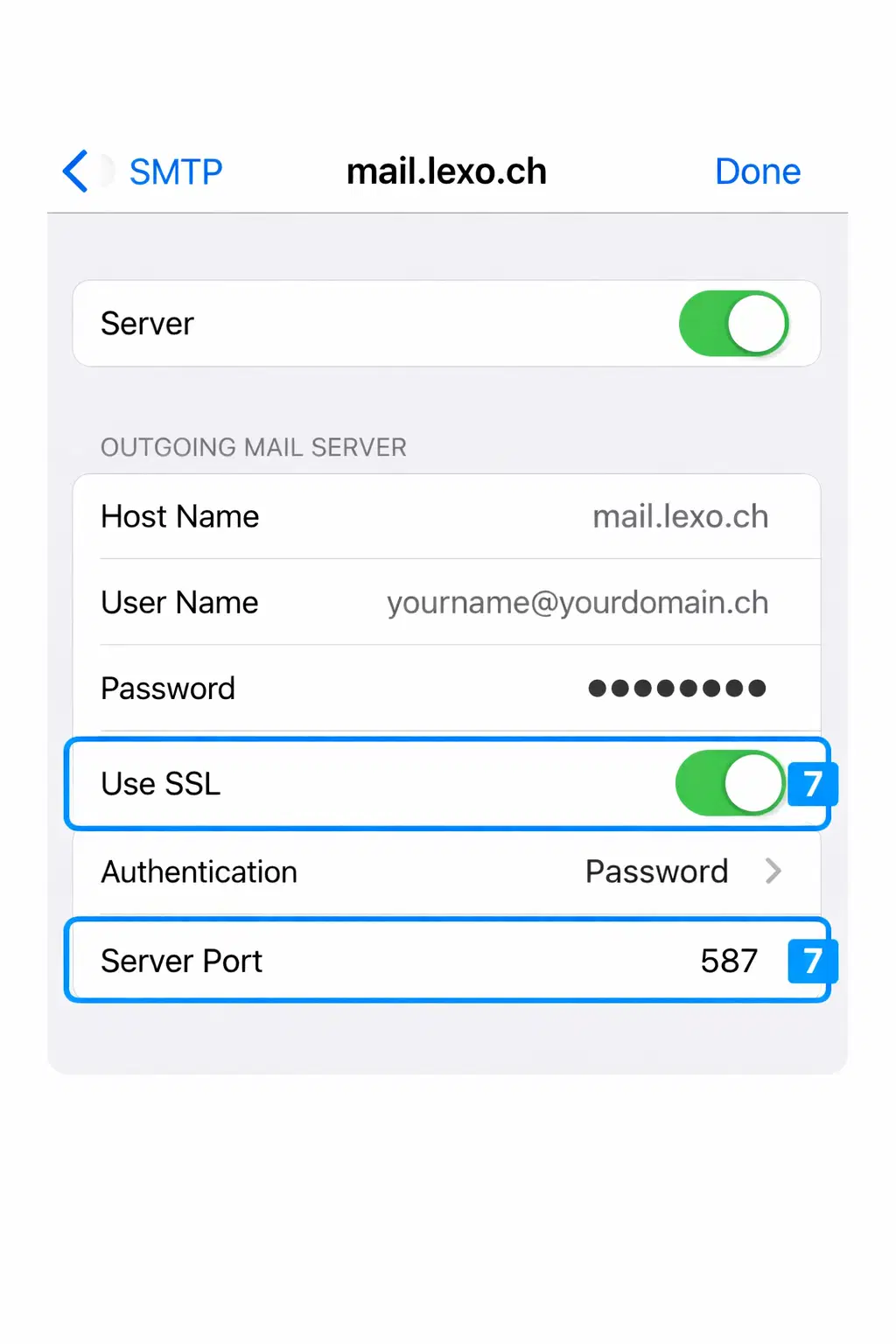
In the account, open SMTP → Primary Server: mail.lexo.ch. The server must be enabled. Use SSL, Password authentication, and Server Port 587. If port 587 is unavailable on your network, use port 465 with SSL instead.
8. Open the Mail app and test both receiving and sending with a test message.
Troubleshooting: First check the email address, password, host name, and ports. Do not repeat failed login attempts unnecessarily because our server temporarily blocks incorrect logins for security reasons. If a certificate warning appears, do not accept it. Check that the host name is entered exactly as mail.lexo.ch.
Apple Mail (OSX 10.6/10.7)
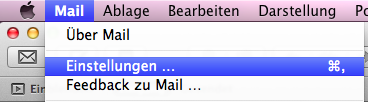
1. Start Apple Mail → Mail Menu → Preferences
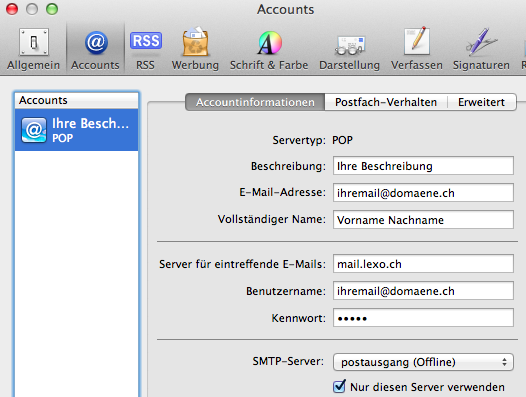
2. Click the Accounts tab and adjust the settings for Incoming Mail Server, Username, Password:
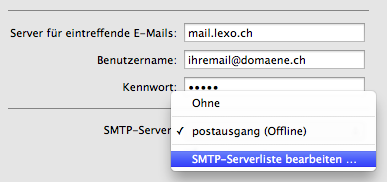
3. Click the dropdown menu under SMTP Server and select Edit SMTP Server List:
4. Make sure you have selected the correct outgoing mail server and set the settings as follows:
Attention!
- In the blue highlighted area at the top, click on the server name in the Server Name column to change it to mail.lexo.ch (double click).
- Adjust the description according to your needs. Recommendation: mail.lexo.ch. This way you always know which server is used for the respective outgoing mail profile.
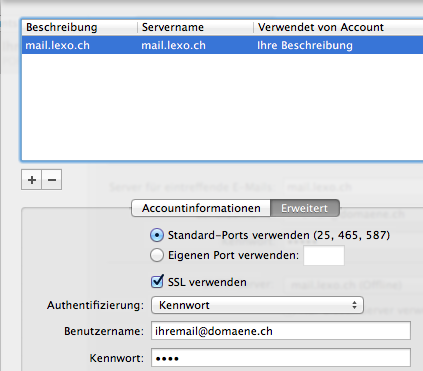
5. Confirm and close the dialog with OK
6. In the top register (tabs) click on General. The system will ask if you want to save the changes. Confirm this with Save:
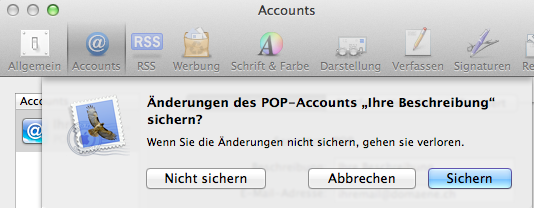
7. The mail system is now configured. Possibly, you still need to activate the mail account. You can do this via the Menu → Mailbox → Take All Accounts Online:

8. A restart of the mail program or a click on Get All New Mail (see screenshot above) should now lead to receiving the latest email messages via the LEXO server systems.
Questions, issues?
Call us - we're happy to help! +41 71 222 88 00