
Last updated: March 25th 2021
Categories: Dompdf, IT Development, Php
Author: Miljan Puzovic
How to use custom font in Dompdf
Dompdf already contains some default fonts but usually we need to use some custom fonts in order to make those pdf's nicer. Here we will explain how can we install and use a custom font in Dompdf version 0.8.3. Here is a link to its official github page.
Let's say that we have a folder named "fonts" and inside of that folder we have our custom font named "my-custom-font.ttf" (Image 1). File named "pdf.php" is our file used for creating a pdf with Dompdf and it contains a logic structure and content of the pdf (Image 2).
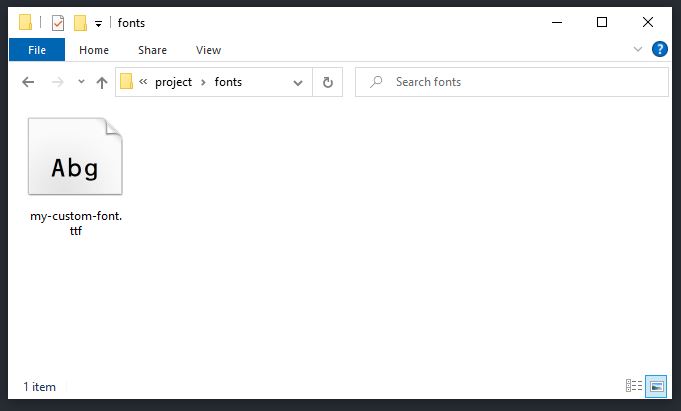
Image 1 - custom font file is inside fonts folder
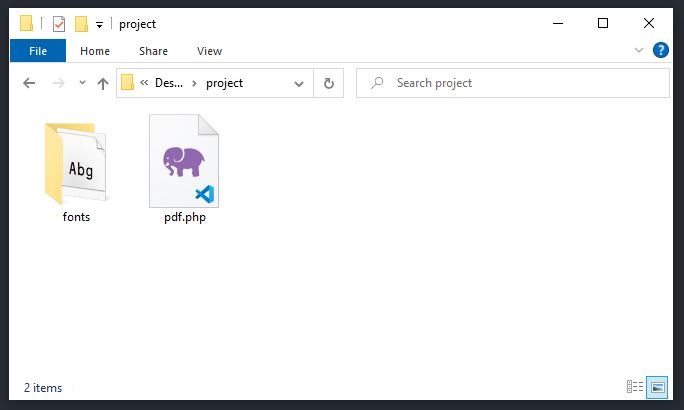
Image 2 - pdf.php is in the same level with fonts folder
Now, we can simply include a custom font using @font-face and relative path to the font. Here is a simplified structure of pdf.php file:
<html>
    <head>
        <style>
            @font-face {
                font-family: 'MyCustomFont';
                font-weight: normal;
                font-style: normal;
                font-variant: normal;
                src: url('fonts/my-custom-font.ttf') format('truetype');
            }

            body {
                font-family: 'MyCustomFont', sans-serif;
            }
        </style>
    </head>
    <body>
        <p>hello world</p>
    </body>
</html>
Tested with Dompdf version 0.8.3.